A calm, fast RSS reader

Follow the sites you love in one calm place. Read, listen, highlight and pick up where you left off on your Mac, iPhone, iPad and Apple Watch.

Free forever. Pro is free for your first 14 days, then yours with one purchase. No subscription.

MangoRSS on the Mac: sidebar with smart feeds and folders, an article list, and an article open in the reading pane.
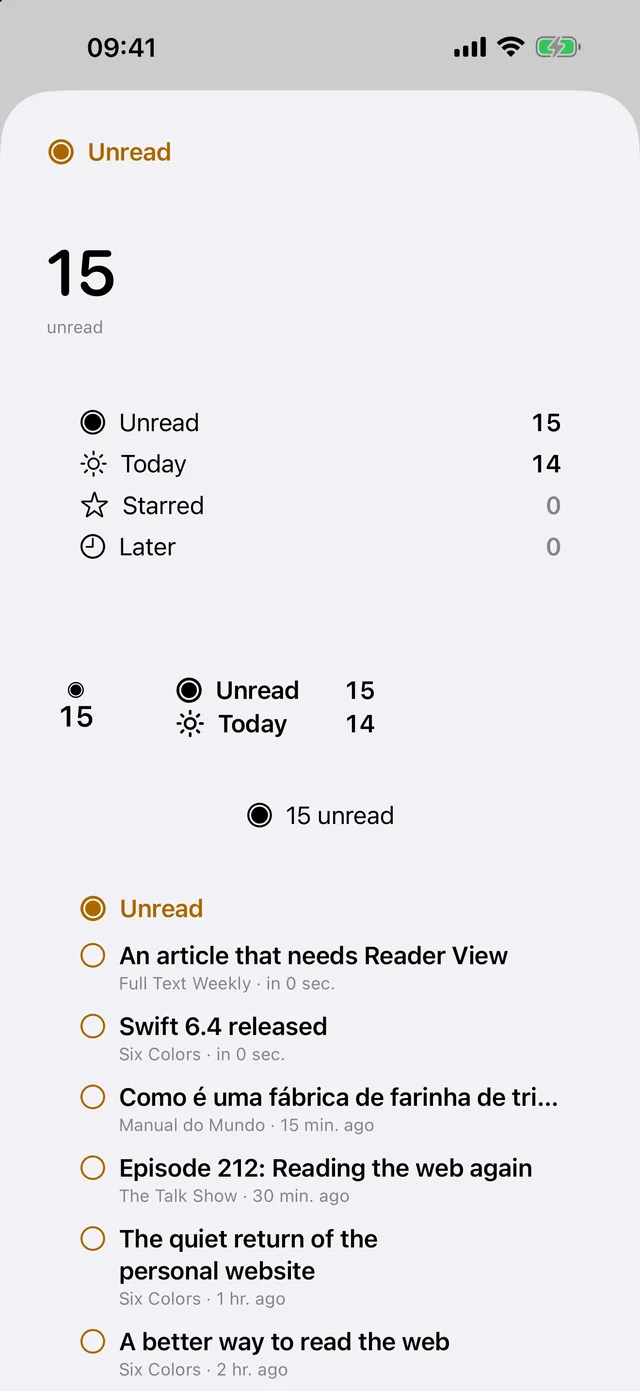
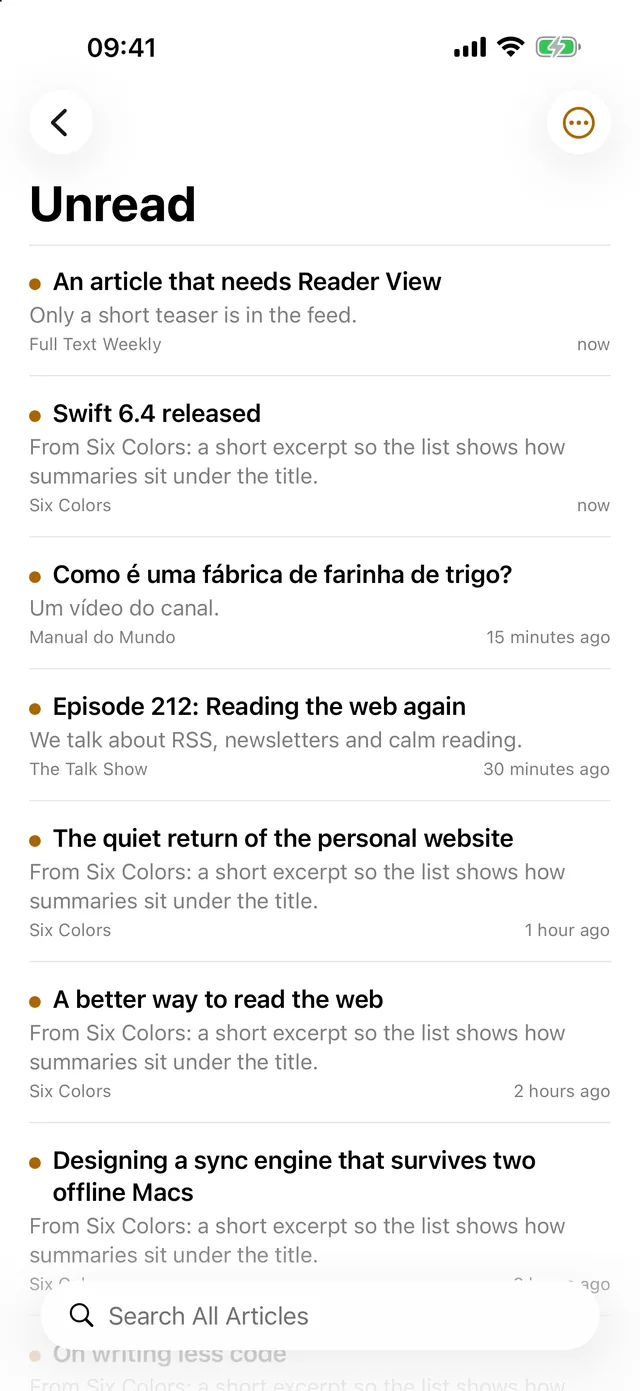
MangoRSS on iPhone showing the Unread list.

Why MangoRSS

Content first. Everything else gets out of the way.

A reader that respects your attention, your wallet and your privacy.

Smart filters

Smart filters that sort for you

Build lists from simple rules, like “title contains Swift”, “from this folder” or “published in the last week”. See the matches live as you type, then let the filter act on new articles: mark them read, star them, save them for Later, tag, mute or notify you.

Your filters sync between your devices, so the Mac and iPhone sort the same way.

A smart filter called Swift news selected in the Mac sidebar, listing only matching articles.

Pay once

One purchase. Every device. No subscription.

MangoRSS is free forever. For your first 14 days, every Pro feature is on too. If you want to keep them, buy MangoRSS Pro once and it’s yours on your Mac, iPhone, iPad and Apple Watch. If not, you simply carry on with the free version.

See what’s free and what Pro adds

Once.

  • Free forever, with Pro free for your first 14 days
  • One purchase covers Mac, iPhone, iPad and Apple Watch
  • No subscription, no account to create
  • Skip Pro and the free version keeps working

Private by design

No account. No server. No tracking.

There is no MangoRSS account and no MangoRSS server. Your feeds, reading state and highlights live on your devices and sync through your own iCloud. No analytics, no ads, nothing to sign up for.

Listening, translating and summarizing run on your device too.

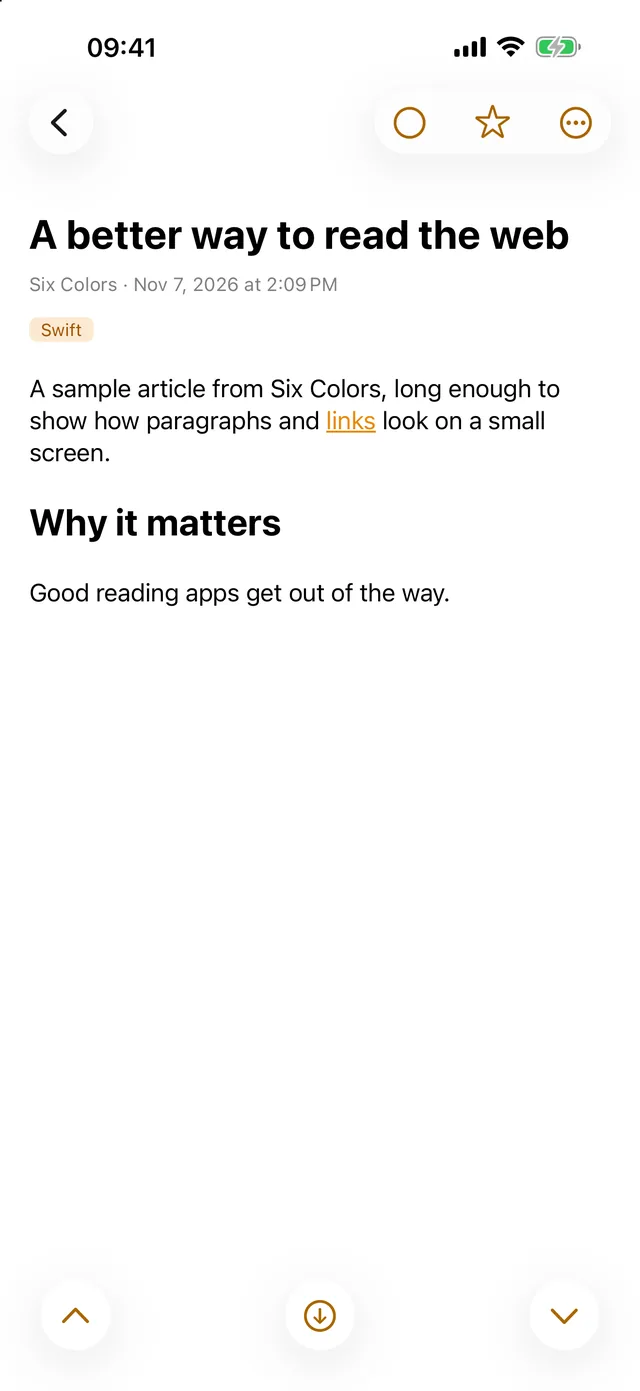
An article open on iPhone.
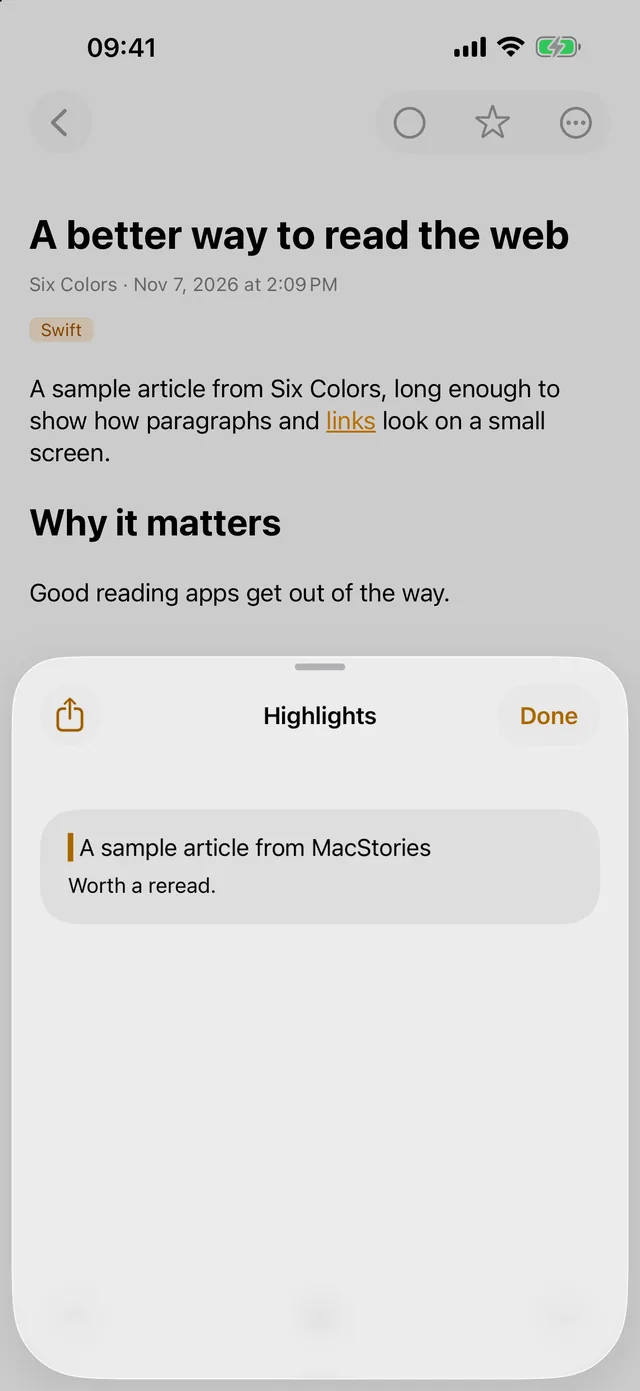
The Highlights sheet on iPhone with a saved highlight and note.

Works with AI assistants

Ask your assistant about your feeds

MangoRSS on the Mac includes an MCP server and a command line tool, so Claude Code, Claude Desktop and other MCP apps can read and organize your feeds through the app. Your data stays on your Mac.

What did my Swift feeds publish this week? Give me the three worth reading.

Star everything about SwiftUI in Unread and mark the rest as read.

Make a folder called Design and move Smashing Magazine into it.

Example requests. Requires MangoRSS on the Mac.

Native everywhere

At home on every Apple device

A three-pane Mac app with a key for every action. An iPhone and iPad app that feels right in your hand. Headlines on your Apple Watch, widgets on your Home Screen, Lock Screen and desktop, plus Shortcuts, Siri, Spotlight and Focus filters.

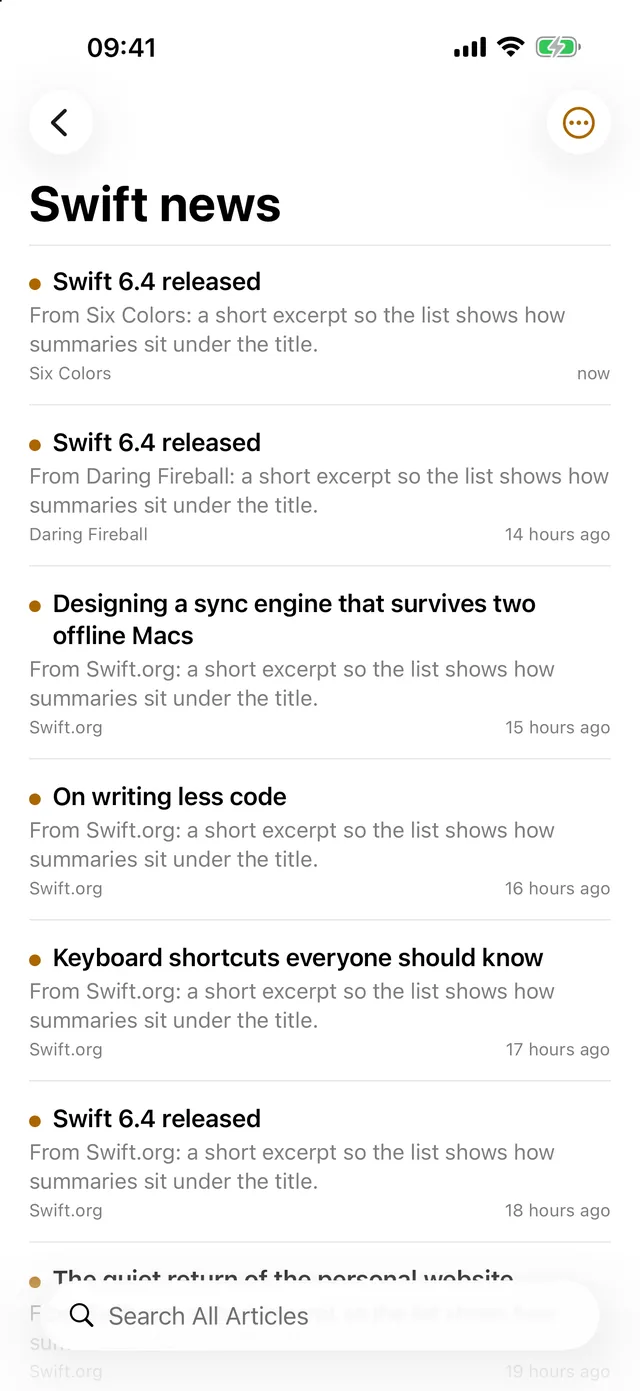
The Swift news smart filter on iPhone.
MangoRSS widgets and Apple Watch views with unread counts and headlines.

The classics

The basics you missed, right where they belong

  • Unread counts on every feed and folder
  • Folders, tags, Star and Save for Later
  • Mark all as read, and mark older as read, with Undo
  • Unread only, newest or oldest first, per list
The Mac sidebar with unread counts next to every feed and folder.

Features

Everything in version 1.1

Free unless marked PRO. Works on Mac, iPhone and iPad unless noted.

Following sites

  • Add any site; MangoRSS finds the feed (RSS, Atom, JSON Feed)
  • YouTube channels, subreddits, Mastodon and Bluesky profiles
  • Subscribe from Safari, the Share menu, or by dragging a link drag: Mac
  • Follow sites that have no feed PRO
  • Feeds that need a password, kept in the Keychain
  • Import and export OPML
  • Feed Health finds feeds that failed or went quiet
  • Per-feed check interval, Reader View and notifications

Reading

  • Today, Unread, Starred and Later across every feed
  • Mark all as read, mark older as read, with Undo
  • Reader View: the full article without ads or menus PRO
  • Offline reading of Starred and Later, with images PRO
  • Your font, size, line width, light and dark, accent color
  • Podcasts and videos play inside the article and remember where you were
  • A key for every action Mac

Organizing

  • Folders, tags with colors, Star and Save for Later
  • Search every article: words, “exact phrase”, -exclude, feed:name
  • Smart filters with rules and live preview: 3 free
  • More smart filters, plus actions on new articles PRO
  • Muted words hide the articles you don’t want
  • Highlights with notes, exported as Markdown

Listen, translate, summarize

  • Listen to articles read aloud, through your Later list PRO
  • Translate an article into your language PRO
  • Summarize an article, or what’s new in a folder PRO Mac, Apple Intelligence
  • All on your device. Nothing is sent anywhere.

Sync

  • iCloud sync of feeds, folders, tags, smart filters, highlights and reading state
  • Or use a FreshRSS or Miniflux account
  • Back up and restore everything in one file

Around the system

  • Widgets for unread counts and latest articles PRO
  • Apple Watch headlines; complication PRO
  • Notifications per feed and per smart filter PRO
  • Shortcuts, Siri, Spotlight and Focus filters
  • Send to Things and Readwise, or the Share menu
  • Menu bar mode, command line and MCP server Mac

Every device

Start on the Mac. Finish on the couch.

Read on one device and pick up exactly where you left off on the next, through your own iCloud.

An article on the Mac with a highlighted passage and the Highlights panel open.
Mac
The Unread list on iPhone.
iPhone
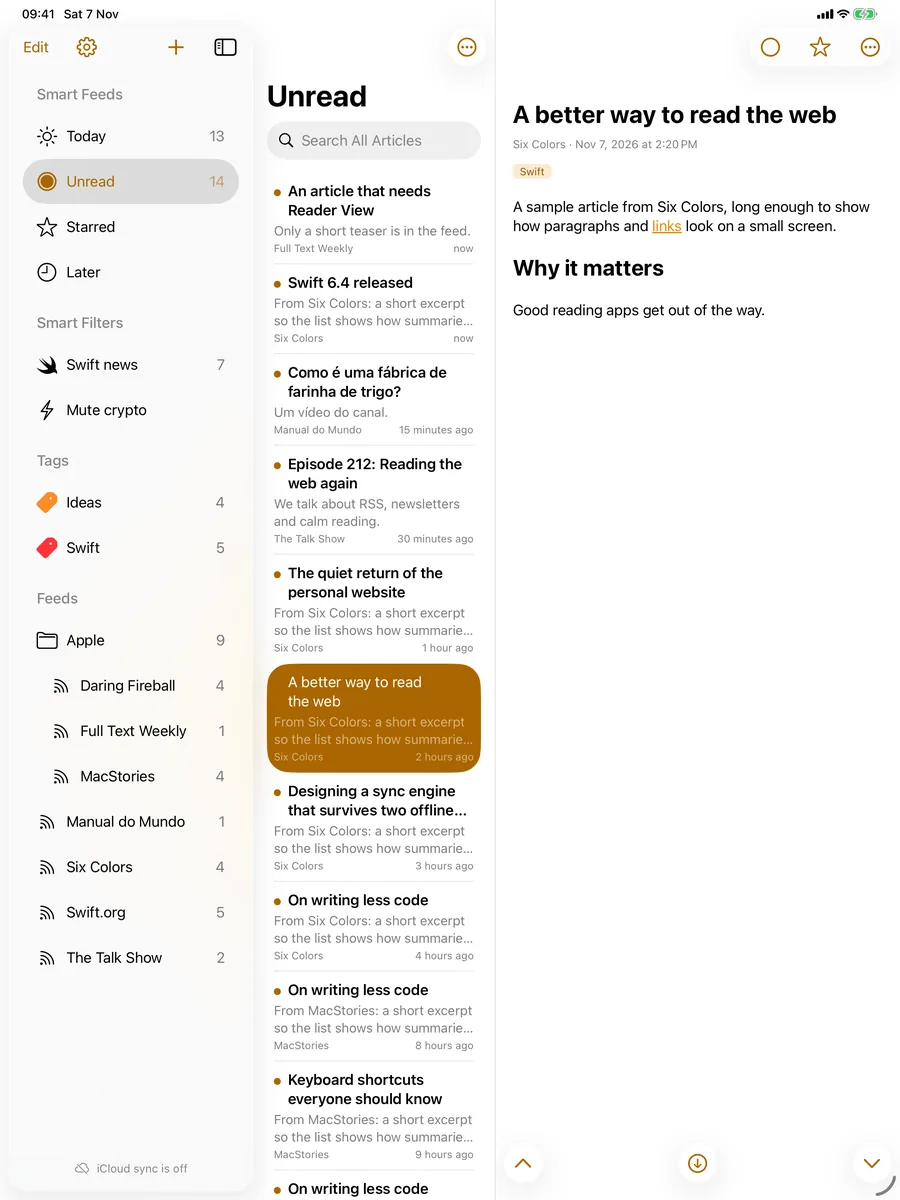
MangoRSS on iPad with sidebar, article list and an open article.
iPad
Mac · macOS 26iPhone · iOS 26iPad · iPadOS 26Apple Watch · watchOS 26Widgets

Pricing

Free forever. Pro if you want it.

Pro is on for your first 14 days, so you can try everything. After that, MangoRSS goes back to the free version unless you buy Pro.

Free

Forever, on every device. No time limit.

  • Reading, folders and tags
  • Search across every article
  • Highlights and notes
  • iCloud sync
  • Backup and restore
  • 3 smart filters

Your reading is your business

MangoRSS has no accounts, no analytics, no advertising and no tracking, and there is no MangoRSS server. The app talks directly to the sites you follow, and syncs through your own iCloud. This website doesn’t track you either: no cookies, no analytics.

Read the privacy policy

FAQ

Questions, answered

Is there a subscription?

No. MangoRSS is free forever, and Pro is free for your first 14 days. After that, you can keep using the free version, or buy MangoRSS Pro once for your Mac, iPhone, iPad and Apple Watch.

What happens after the 14 days?

MangoRSS goes back to the free version, and nothing you’ve set up is lost. The free version keeps reading, folders, tags, search, highlights, iCloud sync, backup and restore, and 3 smart filters, forever. Buy Pro any time to turn the Pro features back on.

Does it sync between my Mac and iPhone? Do I need an account?

Yes, through your own iCloud: feeds, folders, tags, smart filters, highlights and what you’ve read, starred or saved for Later. There is no MangoRSS account to create.

Can I bring my feeds from another app?

Yes. Export an OPML file from your current reader, then choose File > Import Subscriptions… on the Mac, or + > Import Subscriptions… on iPhone. If you use FreshRSS or Miniflux, you can sign in to that account instead of using iCloud.

Does it work offline?

With MangoRSS Pro, your Starred and Later articles are saved for offline reading, images included.

Do you collect any data?

No. There are no accounts, no analytics, no ads and no MangoRSS server. See the privacy policy.

Which languages and systems does it support?

MangoRSS speaks English, Portuguese (Brazil), Spanish, French, German and Italian. It needs macOS 26, iOS 26 or iPadOS 26, and watchOS 26 or later. The Apple Watch app comes with the iPhone app.

Can I use it with Claude or another AI assistant?

Yes, on the Mac. MangoRSS includes an MCP server, so Claude Code, Claude Desktop and other MCP apps can read and organize your feeds through the app. You’ll find the setup in the app under Help > AI Assistants and MCP.

Make reading calm again

Free forever. Pro free for 14 days, then one purchase if you want it.